Bonrix Auto Dialer: Transform PC into a Low-Cost Huawei Dongle Call Center with CRM & Click-to-Call


Bonrix Auto Dialer Client — Turn Any Desktop or Laptop into a Complete Inbound/Outbound Call Center with Huawei Voice & SMS 3G USB Dongles
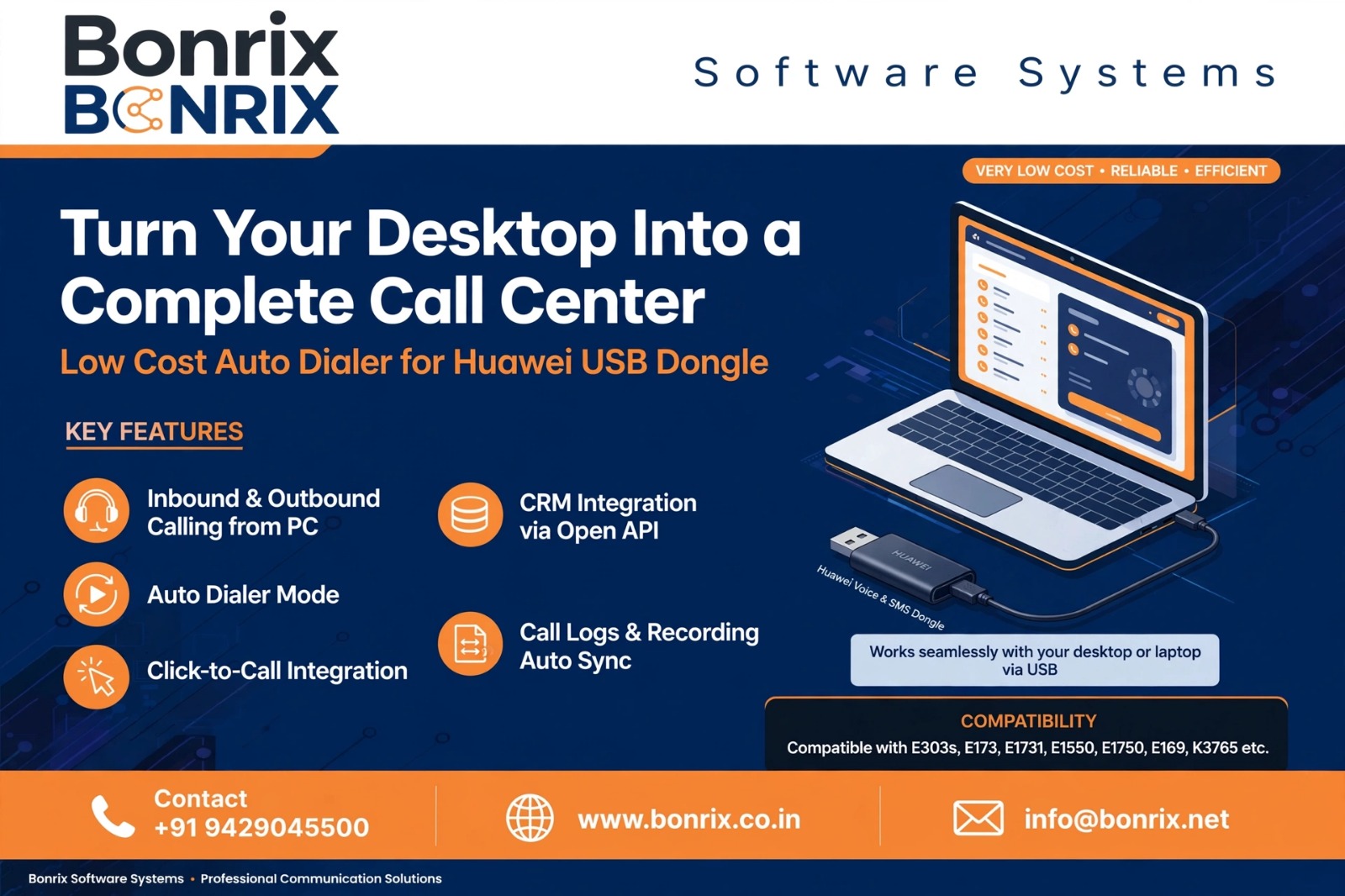
Bonrix Software Systems, Ahmedabad (India), brings you a very low-cost, highly efficient Desktop/Laptop Dialer built around Huawei Voice & SMS Dongles / USB 3G Sticks.
By pairing an affordable Huawei data card with a standard USB headphone, any ordinary desktop or laptop is transformed into a fully functional call-center station that handles incoming and outgoing calls perfectly — no expensive PRI lines, EPABX hardware, or mobile handsets required.
Extensive Huawei Dongle Compatibility
The dialer supports a wide range of proven Huawei USB sticks, including:
E303s, E173, E1731, E173u-2, E1550, E1552, E1750, E1752, E1756, E153, E160, E160E, E160G, E169, E169G, E156, E156G, K3765, K3520 and K3715
Simply insert a GSM SIM into the dongle, plug it into a USB port, connect your USB headset, and start talking.
A True Inbound + Outbound Console
The desktop interface works like a professional call-center agent panel — on-screen numeric keypad, caller ID with number display, live phone-number list, one-click answer/end, and a Power Dialer button for rapid outbound calling.
Agents, sales staff and support staff can manage both incoming and outgoing calls with ease.
Perfect for In-House, MSME & Startup Call Centers
This desktop-based dialer is ideally suited for in-house teams, MSMEs and startup call-center setups where agents need to handle calls professionally on a minimal budget.
One dongle + one laptop per agent is all it takes to go live.
Open API & Seamless CRM Integration
The Bonrix Auto Dialer App for Huawei USB 3G dongles is easily integratable with any CRM software via the open API available in the desktop-based dialer.
Inbound/outbound call data, call duration and audio recording get automatically updated to your call-center software or company CRM for audit, compliance and quality-training purposes.
Click-to-Call from Any Website
Any website phone number connected with a tel: link, such as tel:+919429045500, can auto-invoke the Desktop Dialer app and dial automatically — zero manual keying and zero dialing errors.
Auto-Dialing / Predictive Workflow
For outbound campaigns, agents don't have to dial numbers one by one. The CRM dials calls sequentially, the agent speaks with the client, enters feedback, and the moment feedback is saved, the Auto Dialer sends the next call to the agent.
This workflow maximizes talk time and agent productivity. Each call recording can also be uploaded to your call-center suite or CRM.
Low Cost, Big-Screen Advantage
Compared to mobile-phone-based telecalling, this is a dramatically cost-effective solution. Agents get full room and visibility on the desktop/laptop screen for reading customer data, entering follow-ups and managing pipelines.
It is best suited for small call centers, sales and support centers of small organizations, and CRM-integrated deployments.
Contact Bonrix Software Systems
Contact Bonrix Software Systems for customized dialer development and CRM software development.
Extended Hashtags
#AutoDialer #PredictiveDialer #PowerDialer #ProgressiveDialer #PreviewDialer #CallCenterSoftware #CallCenterSolution #ContactCenter #DesktopDialer #LaptopDialer #HuaweiDongle #HuaweiE303 #HuaweiE173 #HuaweiE1550 #HuaweiE160 #HuaweiE1750 #HuaweiE153 #HuaweiK3765 #USBModem #3GDongle #GSMModem #DataCard #VoiceDongle #SMSDongle #USBHeadset #ClickToCall #Click2Call #TelLink #CRMIntegration #OpenAPI #CRMSoftware #CloudCRM #CallRecording #VoiceLogging #CallAudit #QualityMonitoring #InboundCallCenter #OutboundCallCenter #Telemarketing #Telesales #Telecalling #TelecallingSoftware #CustomerSupport #HelpDesk #LeadManagement #SalesDialer #SupportDialer #CallCenterSetup #SmallCallCenter #MSME #StartupIndia #SmallBusiness #Ahmedabad #India #Bonrix #BonrixSoftwareSystems #AutoDialingSoftware #DialerApp #CTI #ComputerTelephonyIntegration #TelephonySolution #IVR #CallCenterAgent #AgentProductivity #CustomerFollowUp #ComplianceRecording #AuditTrail #WebToPhone #SoftDialer #GSMCallCenter #SIMDialer #HuaweiUSBStick #DataCardDialer #SalesAutomation #WorkflowAutomation #CustomSoftwareDevelopment #CRMDevelopment #DialerDevelopment #CustomerExperience #CallCenterTechnology
| Details | Downloads |
|---|---|
| POSTMAN API Collection PDF For Bonrix Auto Dialer |

|
| EXE File For Bonrix Auto Dialer Version: 1.1 |

|
| Driver For Bonrix Auto Dialer |
|
| Bonrix Auto Dialer – Windows TEL Protocol & Click-to-Call API Test HTML Page |

|


Screen Shorts
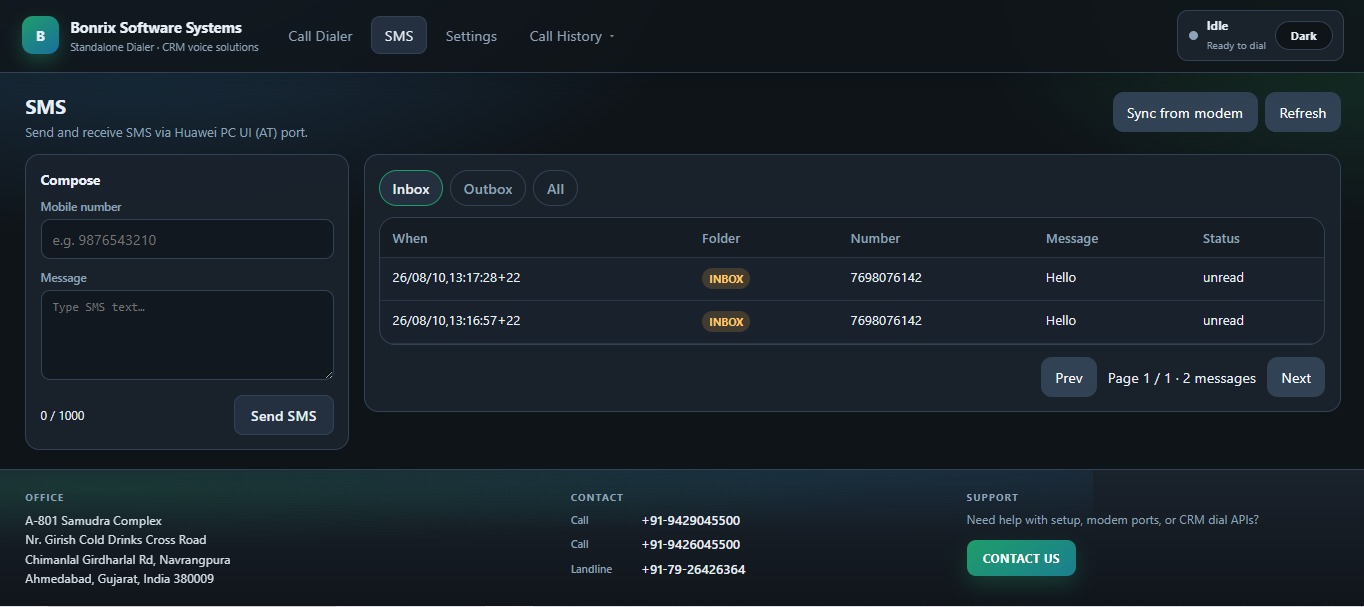
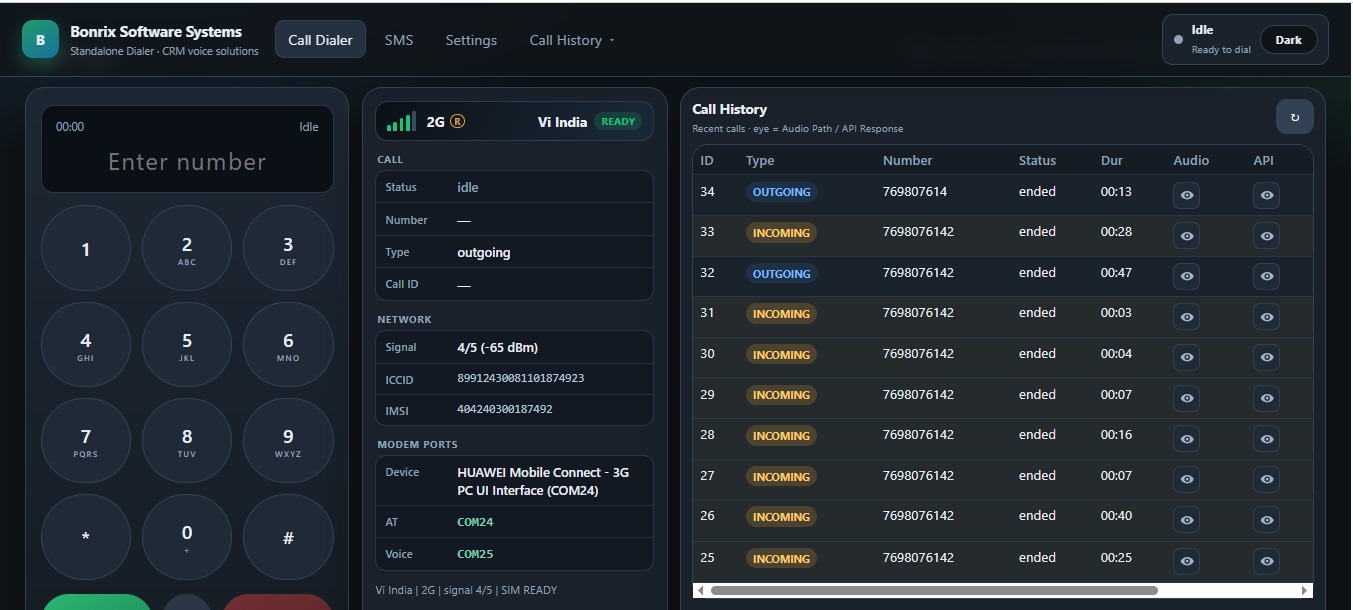
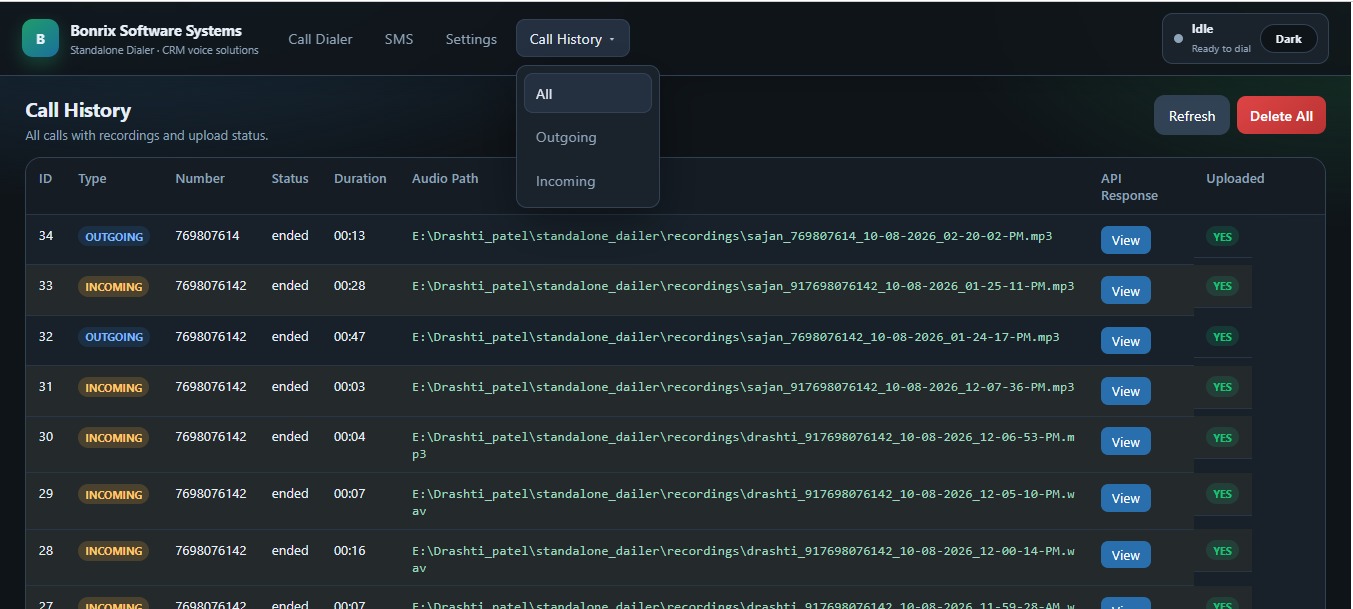
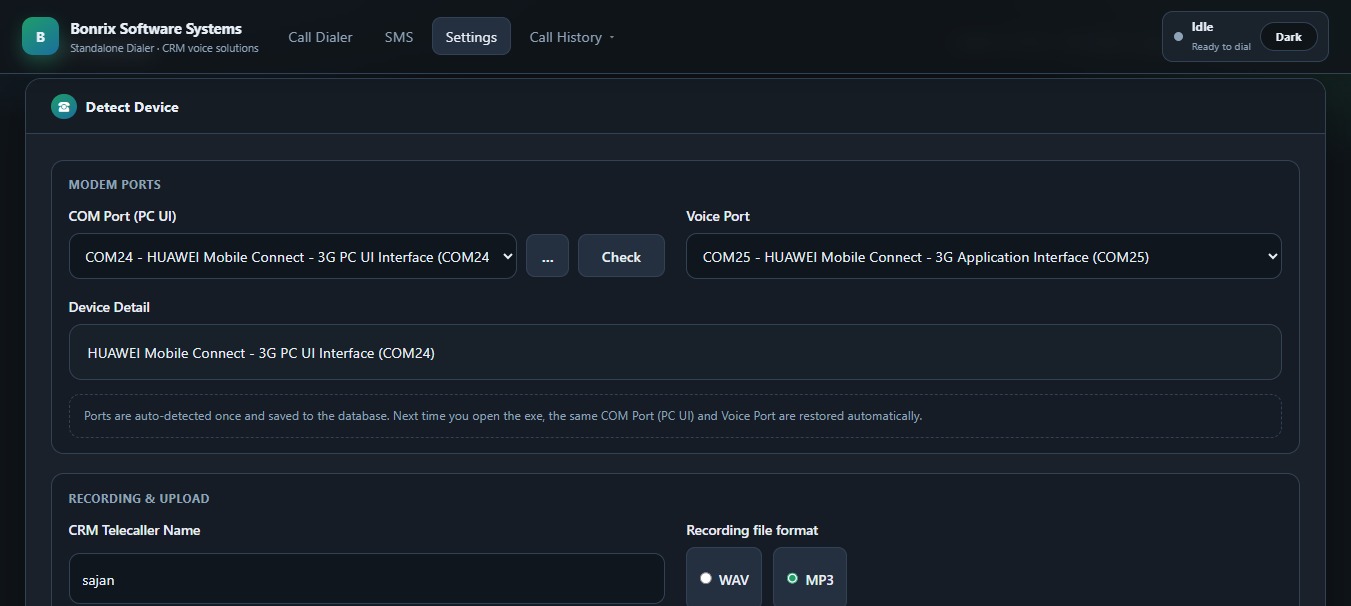
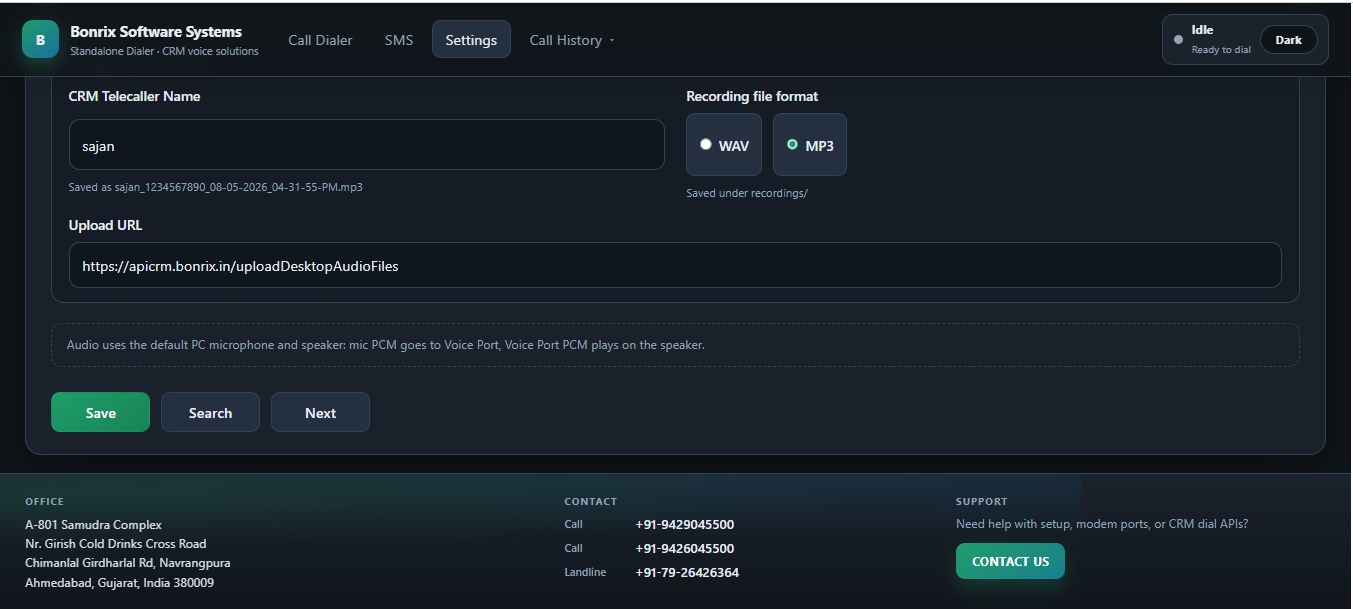
Bonrix Huawei USB Dongle Dialer – Low Cost Desktop Auto Dialer for Inbound & Outbound Call Center CRM
Still paying high monthly rentals for cloud telephony to run your small sales or support team?
Bonrix Software Systems provides a simple, powerful and very low-cost alternative that can transform your existing Desktop or Laptop into a complete inbound and outbound call-center workstation.
Introducing Bonrix Desktop Auto Dialer
Bonrix Desktop Auto Dialer works with compatible Huawei Voice & SMS Dongles / USB 3G Sticks. Connect the Huawei dongle to your desktop or laptop, connect a USB headset, and your system can be used for professional incoming and outgoing calling.
Compatible Huawei USB Dongle Models
Perfect for Small & In-House Call Centers
The solution is ideally suited for MSMEs, startups, sales teams, support teams and small in-house call centers that need professional calling capabilities without investing heavily in expensive telephony infrastructure.
Why Teams Choose Bonrix Auto Dialer
- Inbound + Outbound Calling from PC: Handle incoming and outgoing calls directly from your desktop or laptop.
- Auto Dialer Mode: After an agent completes feedback for one call, the next number can automatically be dialed.
- Click-to-Call: Click a phone number from your website or CRM, such as tel:+919429045500, to invoke the desktop dialer automatically.
- Open API for CRM Integration: Integrate Bonrix Auto Dialer with your existing CRM or call-center software.
- Complete Call Audit Trail: Call logs, call duration and audio recordings can be connected with your CRM workflow.
- Higher Agent Productivity: Agents get a larger screen for viewing customer information, entering notes, follow-ups and feedback.
- Very Low-Cost Setup: Use an existing desktop or laptop with a compatible Huawei USB dongle instead of investing in complex call-center hardware.
Bonrix Auto Dialer is more than a simple dialing application. It can become a practical sales and customer-support productivity tool by combining CRM data, calling, feedback, follow-ups and call history on one desktop.
Suitable Business Applications
Bonrix Desktop Auto Dialer can be useful for startups, education organizations, real-estate teams, recruitment companies, loan and insurance teams, telemarketing operations, collection teams and customer-support centers.
Custom Dialer & CRM Development
Bonrix Software Systems also provides Custom Dialer Development and Custom CRM Development according to your organization's calling workflow, lead-management process and business requirements.
Looking for a Cost-Effective CRM Ready Calling Solution?
Talk to Bonrix Software Systems for Auto Dialer, CRM integration and customized call-center solutions.
Call +91 94290 45500 Email UsLearn More & Contact Bonrix
Related Keywords & Hashtags
Bonrix SmartCRM Auto Dialer Demo | GSM Calling, Lead
Management & Follow-Up
📞 Bonrix SmartCRM Auto Dialer – Complete Product Demo
Watch the Bonrix SmartCRM Category-Wise Auto Dialer working with the Bonrix Desktop GSM Dialer. This product demo shows how telecalling and sales teams can manage leads, make SIM-based GSM calls, track call activity, record call outcomes, and schedule customer follow-ups through one connected CRM workflow.
Bonrix SmartCRM helps businesses organize leads by category, automatically dial customer numbers through a connected GSM modem, display lead information during calls, maintain call history, and record the outcome of every customer conversation.
🚀 FEATURES
DEMONSTRATED
✅ Category-wise automatic lead dialing
✅ Date-range lead search
✅ Category-wise lead count
✅ Start and stop auto dialing directly from the
CRM
✅ Lead details displayed during calling
✅ Desktop GSM Dialer integration
✅ Connected modem and network information
✅ Live call status including ringing and ended
✅ Outgoing call history
✅ Phone number, call status, and call duration
✅ Call audio playback and download
✅ Successful-call follow-up form
✅ Lead status and customer response update
✅ Next follow-up date and time scheduling
✅ Remarks and conversation notes
✅ Failed-call response options
✅ Busy, Call Waiting, and Switched Off status
✅ Network Error and Number Does Not Exist status
✅ Ringing No Response status
✅ Follow-up countdown timer
✅ End-call controls from the CRM
💼 USE
CASES
• Telecalling Teams
• Sales and Marketing Teams
• Call Centers
• Customer Support Teams
• Lead Generation Businesses
• Outbound Calling Teams
• Customer Follow-Up Management
🎯 BENEFITS
Bonrix SmartCRM can help reduce manual dialing work, organize call records, and simplify customer follow-up management. Managers and operators can monitor calling activity, update lead status, record customer responses, and maintain structured follow-up information from the CRM.
📌 GSM CALLING
GSM Calling means making calls through a SIM card inserted into a connected GSM modem. The CRM manages the dialing workflow, while the actual call is placed through the mobile network using the connected GSM Dialer.
📞 FOR DEMO &
SALES
ENQUIRIES
Call: +91 7284045500
📧 Email: crm.bonrix@gmail.com
🌐 CRM Website: https://crm.bonrix.in/
🌐 Company Website: https://www.bonrix.co.in/
📍 Location: Bonrix Software
Systems, Ahmedabad, Gujarat, India
Contact Bonrix Software Systems to learn more about SmartCRM, GSM Calling, Auto Dialer, Lead Management, Call Tracking, and Customer Follow-Up solutions.
👍 Like this video, share it with your team, and subscribe for more Bonrix product demonstrations.
#Bonrix #BonrixSmartCRM #SmartCRM #AutoDialer #GSMCalling #GSMDialer #TelecallingSoftware #CRMSoftware #LeadManagement #SalesAutomation #FollowUpManagement #CallHistory #CallRecording #OutboundCalling #SalesDialer #CallCenterSoftware #CustomerSupport #BusinessAutomation #SalesTeam #LeadTracking #Telemarketing #MadeInIndia
Bonrix SmartCRM Incoming Call Demo | GSM Dialer, Lead Details & Follow-Up Management
📞 Bonrix SmartCRM Incoming Call Management with Desktop GSM Dialer
Watch how Bonrix SmartCRM works with the Bonrix Desktop GSM Dialer to manage incoming customer calls, display matching lead records, update customer responses, and schedule follow-ups from a single CRM interface.
This video demonstrates the complete workflow, from receiving an incoming call to viewing the matching customer information, recording the conversation outcome, saving follow-up details, and reviewing the updated lead information.
For telecalling and sales teams, having customer details available during a call can help maintain conversation continuity. With the demonstrated Bonrix SmartCRM workflow, operators can review matching records and record the next action after speaking with the customer.
🎥 FEATURES DEMONSTRATED IN THIS VIDEO
✅ Incoming Call
Notification
View an incoming call
alert with the caller’s number so the operator can
identify
the call and take action.
✅ Answer and Hang-Up
Controls
Use the desktop GSM
dialer’s call controls to answer an incoming call or
end the
conversation.
✅ Matching Lead Details
View
lead records associated with the incoming caller’s
mobile number. The displayed list includes
information
such as lead ID, name, mobile number, lead state,
progress state, and category.
✅ Desktop GSM Dialer
Integration
See the Bonrix Desktop
GSM Dialer working alongside the web CRM, bringing
calling
and lead management together in the same workflow.
✅ Modem and Network
Information
The dialer interface
displays connected modem details, network
information, signal
status, and communication port information.
✅ Incoming Call
History
Review incoming call entries
with the caller number, call status, and duration to
understand recent calling activity.
✅ Category and Lead
Selection
Select the relevant
category or lead while entering follow-up details,
helping the
operator attach the update to the appropriate
record.
✅ Lead Status Updates
Update
the lead state after the conversation to reflect the
current stage of the customer enquiry.
✅ Customer Response
Entry
Select the customer’s response
to record the outcome of the conversation and
support the
next follow-up action.
✅ Follow-Up Scheduling
Set a
follow-up date and time when another customer
interaction is required.
✅ Customer Remarks
Add notes
about the conversation, customer requirements,
pending information, or the next action.
✅ Save and Review
Updates
Save the follow-up
information and review the updated details in the
All
Leads section.
🔄 WORKFLOW
SHOWN
Incoming customer call
→ View matching lead details → Answer using the
GSM
dialer → Complete the conversation → Select the
relevant lead → Update status and response →
Schedule the
next follow-up → Add remarks → Save the
update.
💼 WHO CAN USE THIS
WORKFLOW?
• Telecalling teams
handling customer enquiries
• Sales teams
managing leads and
callbacks
• Customer support staff recording
conversation outcomes
• Businesses using a
desktop GSM
dialer with their CRM
• Operators who need
customer records available during incoming calls
Keeping call activity and follow-up information organized can help teams review previous interactions and understand what needs to happen next. Customer remarks can also provide useful context when the same lead is handled again.
Bonrix SmartCRM brings lead details, customer responses, call activity, and follow-up scheduling together to support an organized calling and lead-management process.
📞 FOR DEMO & SALES
ENQUIRIES
Call: +91
7284045500
📧 Email:
crm.bonrix@gmail.com
🌐 Website:
https://crm.bonrix.in/
📍
Location: Bonrix Software Systems,
Ahmedabad, Gujarat, India
Contact us to discuss Bonrix SmartCRM and Desktop GSM Dialer integration for your business.
👍 Like this video if you found the demo
useful.
💬 Comment with your CRM and telecalling
requirements.
🔔 Subscribe for more Bonrix
software
demonstrations and product updates.
#Bonrix #BonrixSmartCRM #CRMSoftware #GSMDialer #IncomingCallManagement #TelecallingSoftware #LeadManagement #FollowUpManagement #SalesCRM #CustomerRelationshipManagement #DesktopDialer #CRMIntegration #CallManagement #LeadTracking #CustomerSupport #SalesFollowUp #FollowUpScheduling #CustomerManagement #BusinessSoftware #TelecallerCRM #SalesTeam #CallHistory #GSMModem #SoftwareDemo #Ahmedabad
